03 / AFTER THE TRIP

Turn the records
into a travel journal.

Choose posts and spots from the private timeline, insert them into the article, and add your own text. Preview the saved journal, then decide whether to keep it private or publish it.

  • Select material from itinerary items, posts, spots, images, and maps
  • Edit and save the article, then preview it before publishing
  • Keep it private or publish it at a shareable URL
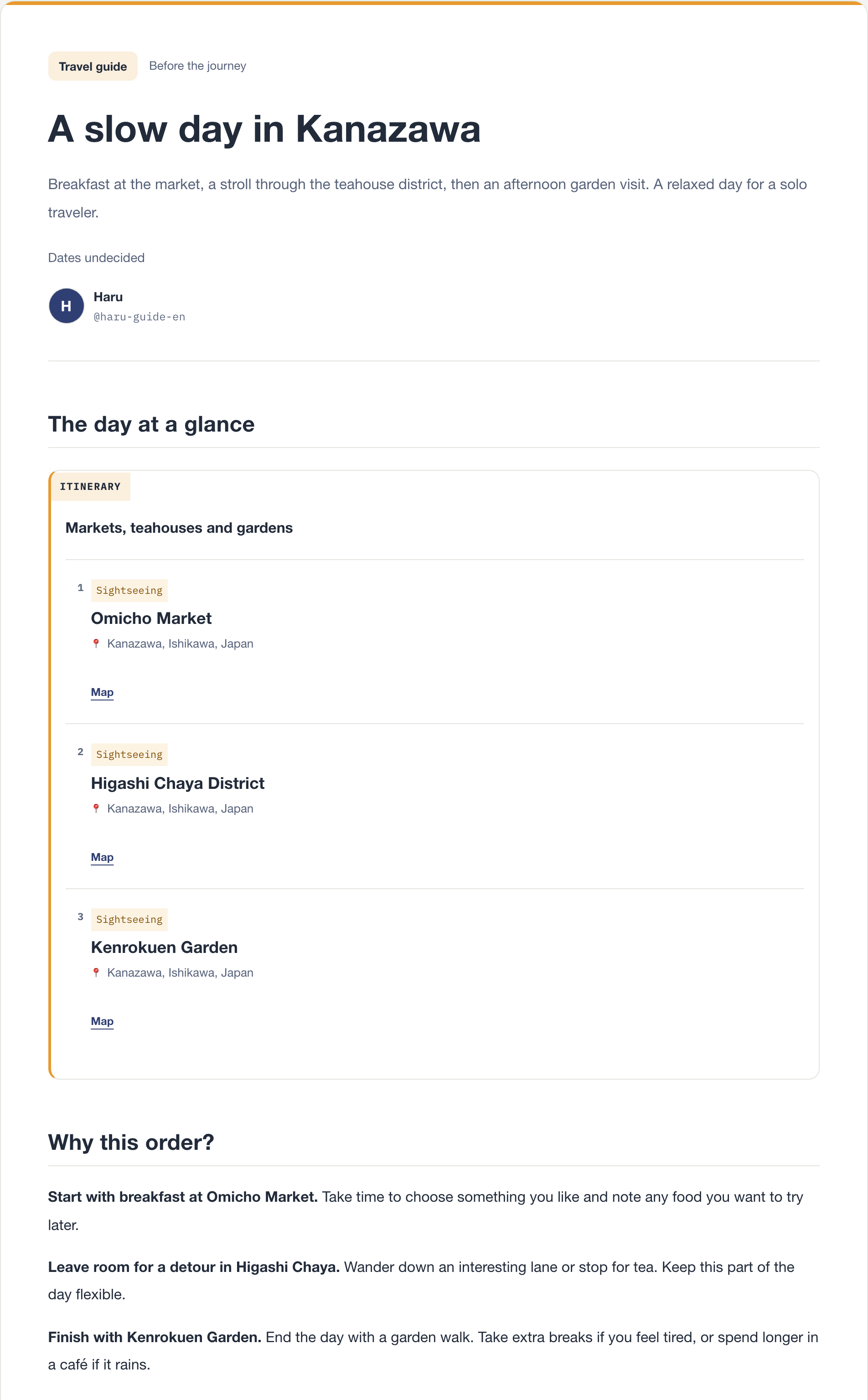
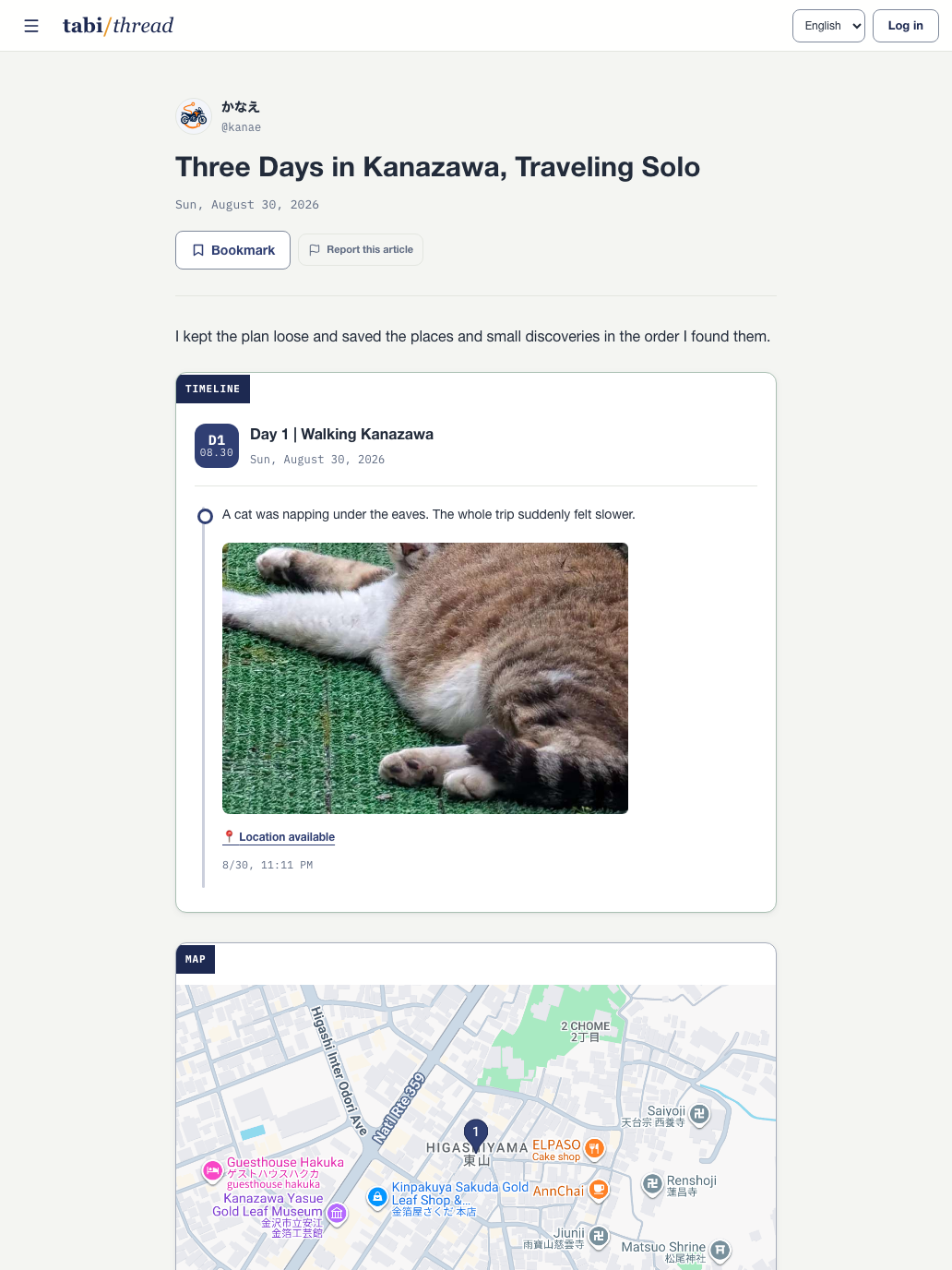
FINISHED TRAVEL JOURNAL / PHOTOS + MAP
A finished Kanazawa travel journal with a photo timeline and map

01 SELECT MATERIAL

Choose only the records you want in the journal.

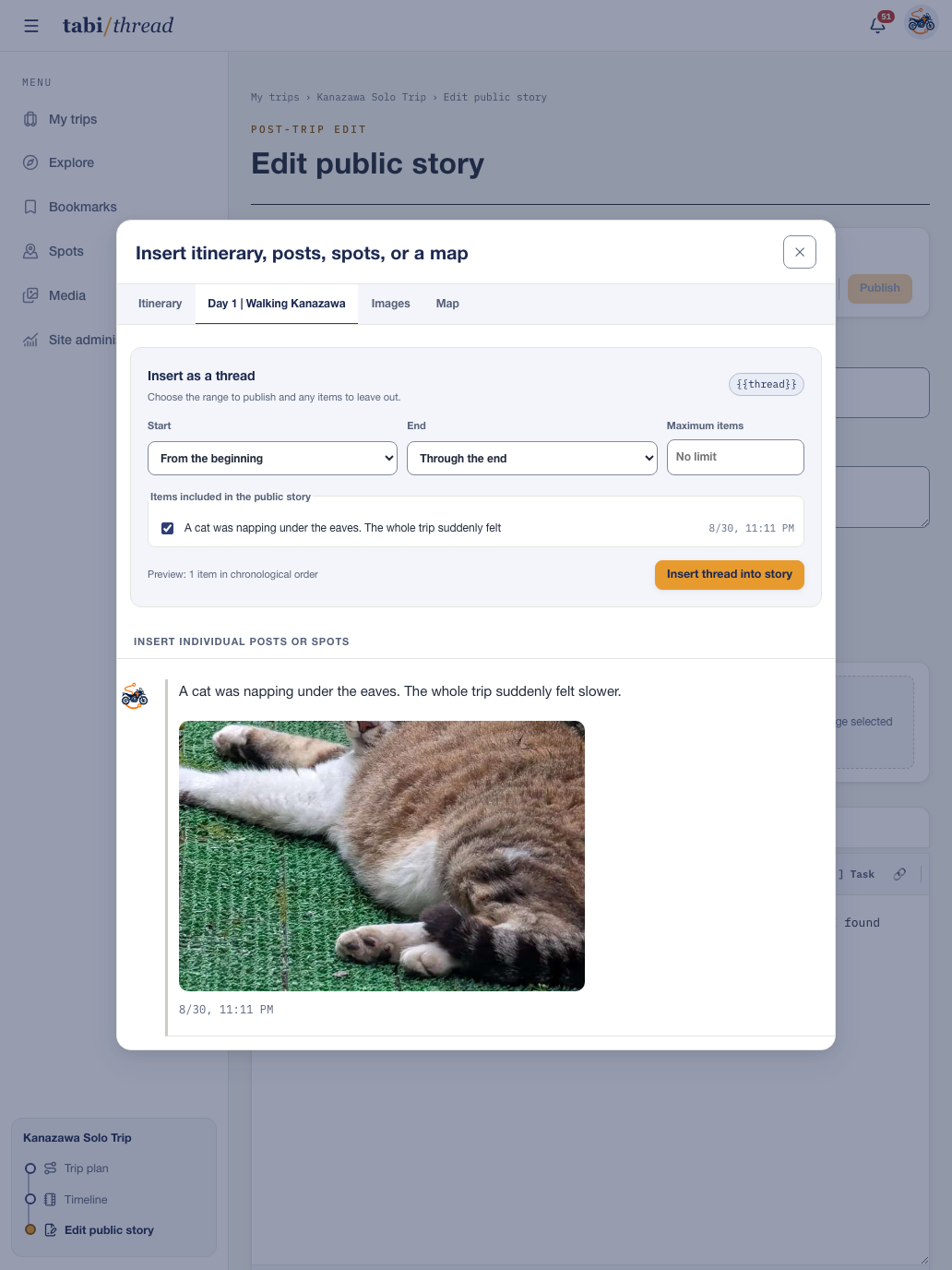
The insert panel lets you choose itinerary items, posts by day, spots you actually visited, images, and maps. For a daily timeline, set its start and end, maximum item count, and anything you want to leave out.

A place that remained only in the plan is not mixed into the visited-spot or map choices. You decide which part of the private record should appear in the article.

MATERIAL PICKER / POSTS + SPOTS + MAPS
Selecting posts from a daily timeline before inserting them into a travel journal

02 EDIT

Insert the records and add the story around them.

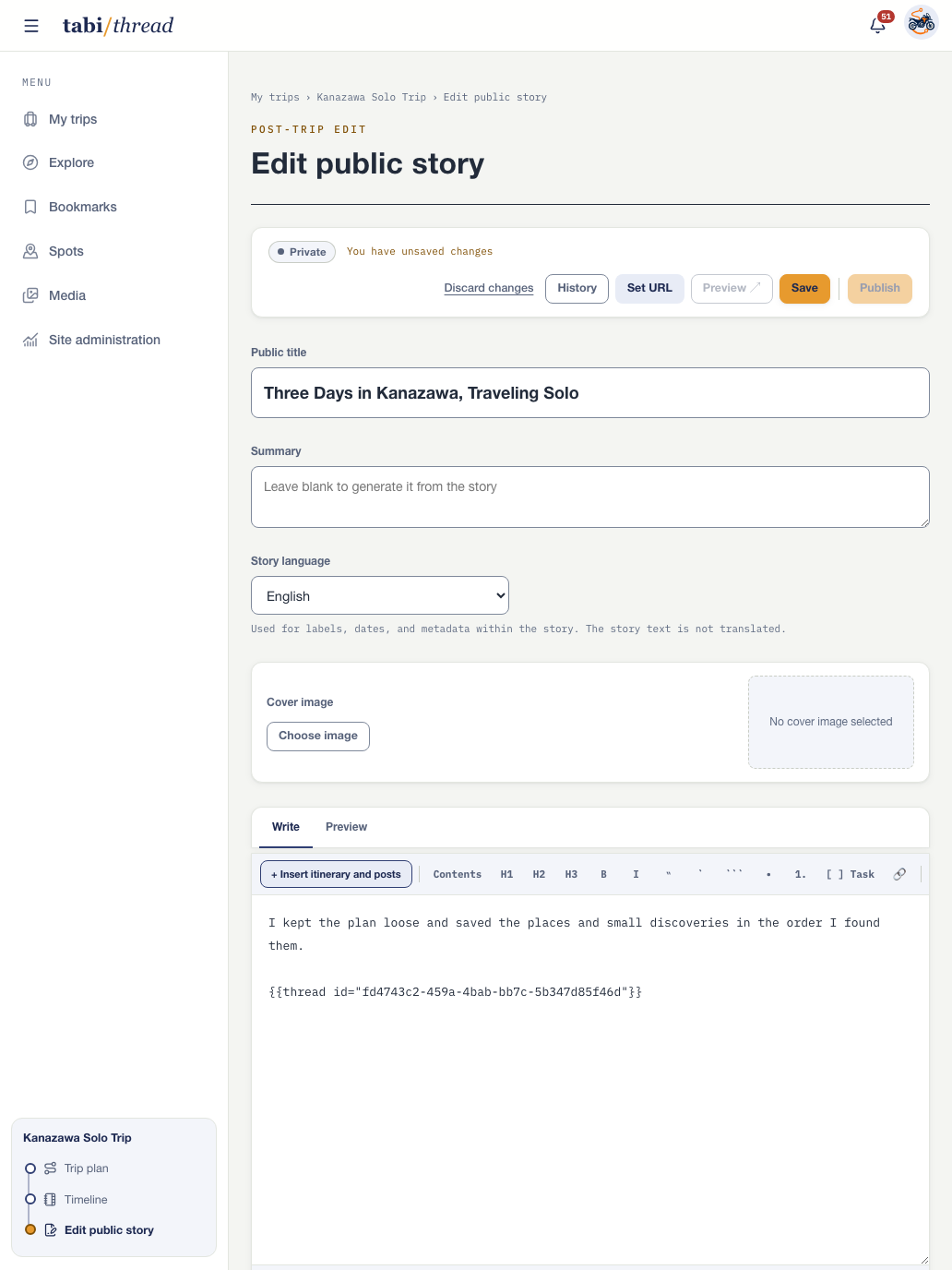
Insert a selected timeline or map wherever it belongs in the article. Add headings and paragraphs around it, then edit the title, summary, article language, and cover image.

Save explicitly with the Save button or Cmd/Ctrl+S. You can load an earlier saved version, and while changes remain unsaved, previewing and publishing stay unavailable.

EDITOR / INSERTED TIMELINE + ARTICLE TEXT
A travel-journal editor with a title, summary, and inserted timeline in the article body

03 PREVIEW

Preview the saved article before publishing.

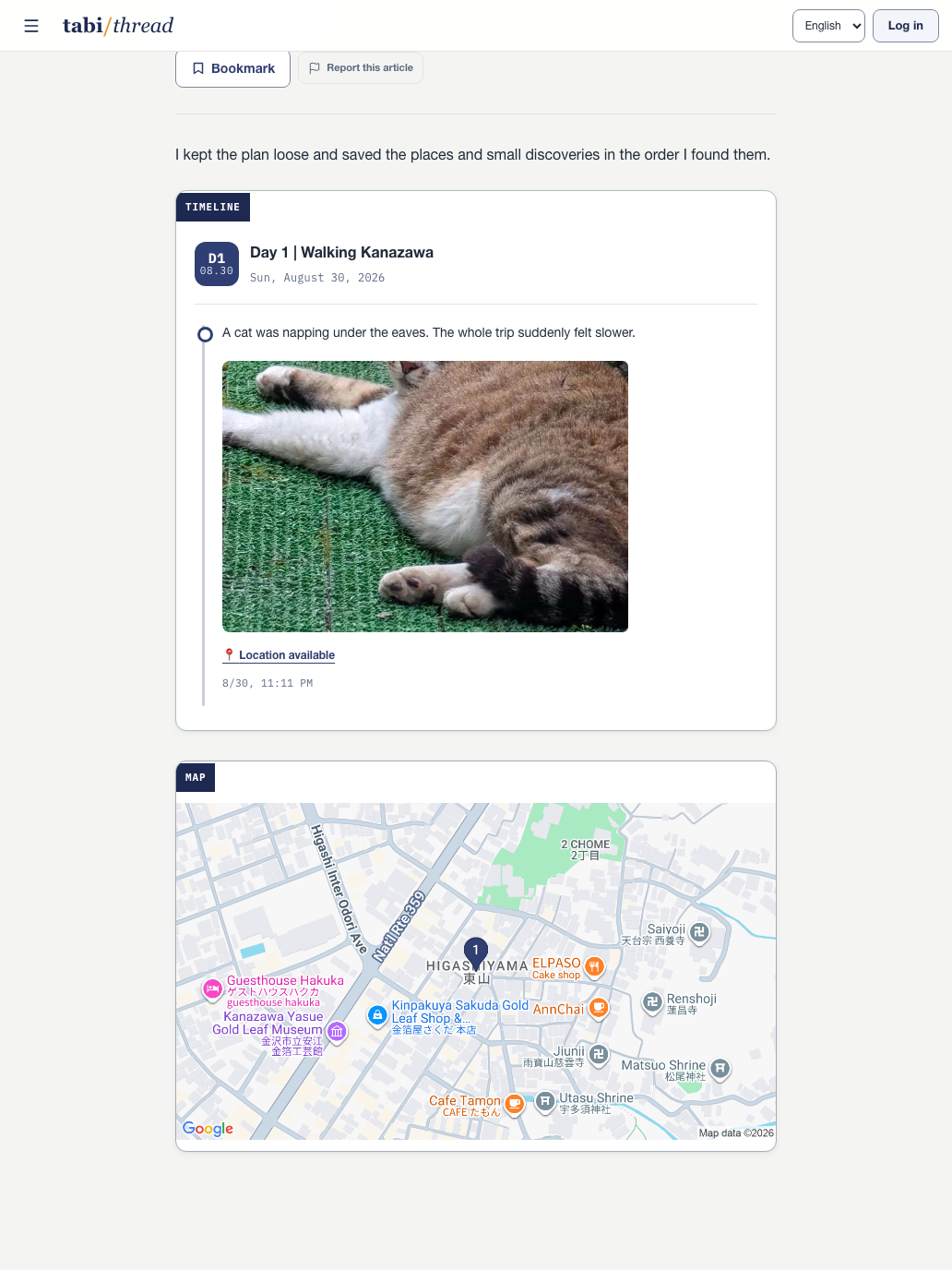
An inserted timeline renders its posts, photos, and spots in the order you selected. A map shows the selected spots and located posts as pins in visit order.

Choose an image size, alt text, and caption, and decide whether a spot card should show its address, photos, official site, or menu. Review the result as a reader would see it, then return to editing when needed.

PREVIEW / TIMELINE + PHOTOS + MAP
A preview showing a photo timeline and map inside a travel journal

04 PUBLISH

A published journal gets a URL and appears in search.

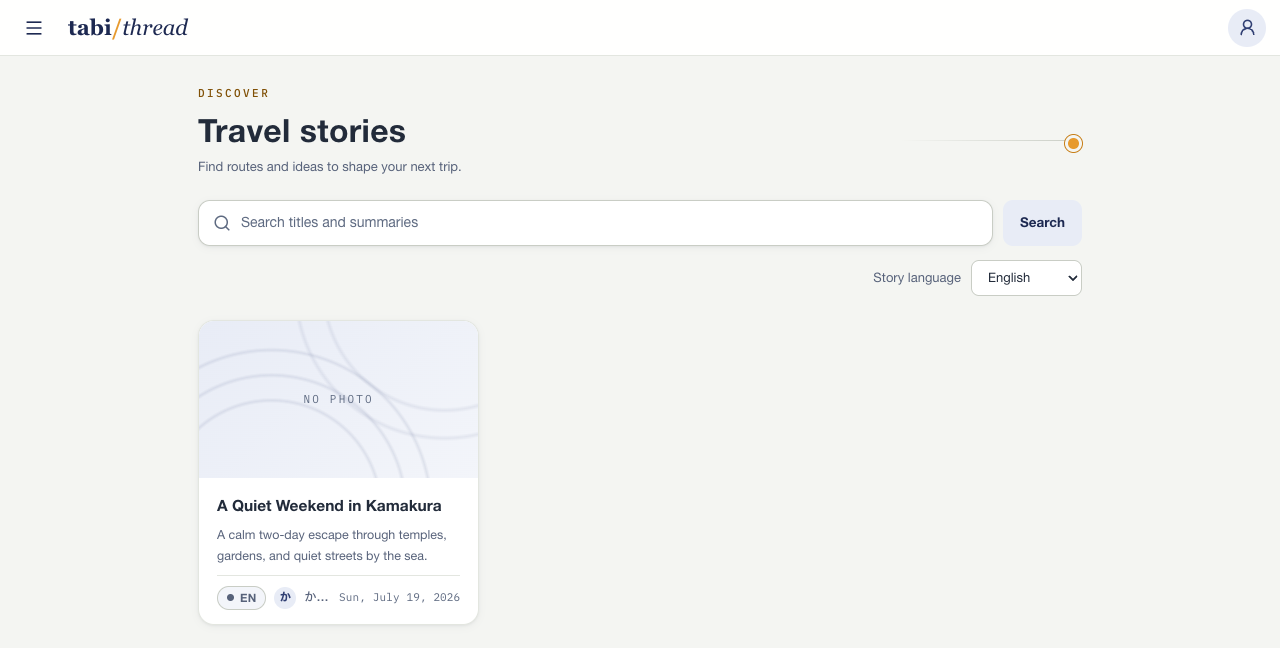
A journal can remain private and still be complete as a record for yourself. If you publish it, it gets a shareable URL and appears in the public journal list and title-and-summary search.

You can make it private again later. Personal spot notes and anything you did not insert into the article are not automatically exposed on the public page.

PUBLISHED JOURNALS / LIST + SEARCH
A public travel-journal list with title and summary search and published journal cards

Turn your next solo trip into one continuous thread.

Start free

Sign up with your email address, Google account, or Apple Account.